

How do counting thread and bout reminders work?
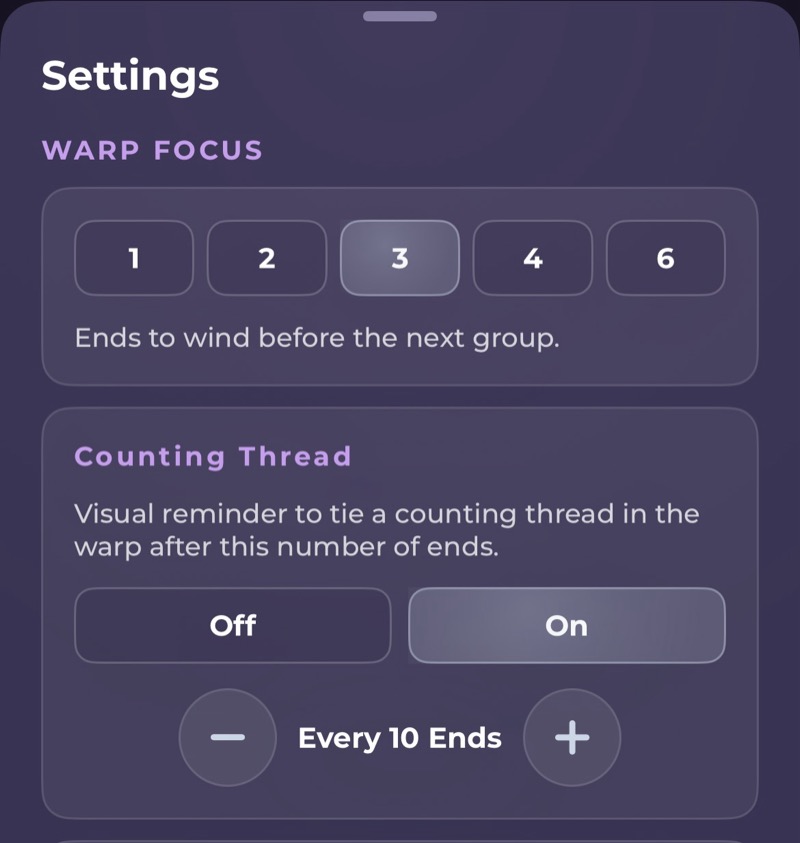
They're optional reminders in Warp Mode. A counting thread reminder tells you when to tie in a counting thread, and a bout reminder tells you when you've reached the end of a bout. You turn them on in Settings, under Warp Focus.
How do I set a counting thread reminder?
Turn on Counting Thread and choose how often you want one, such as every 10 ends. When you reach that end, you'll see a "Place counting thread" reminder.
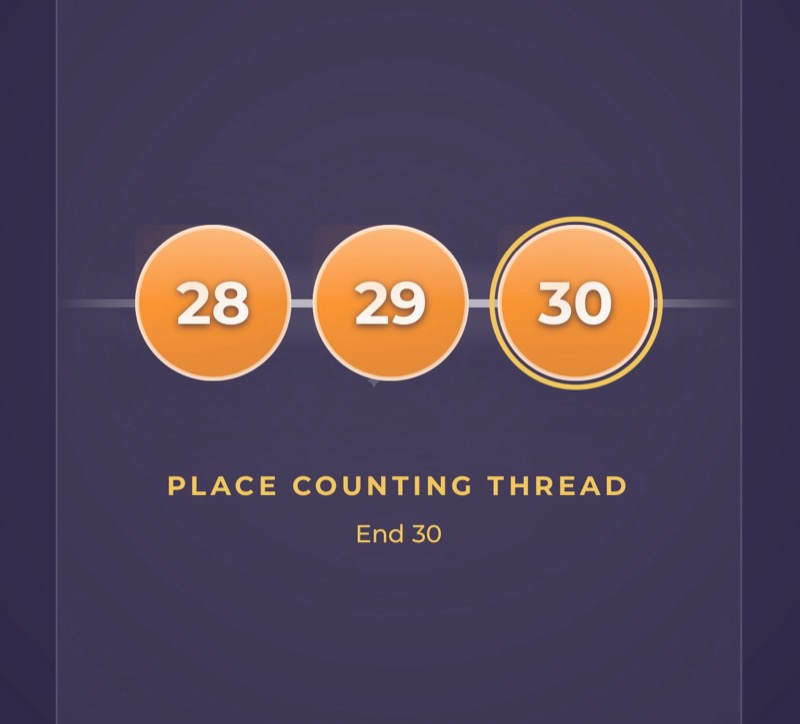
New patterns start with a counting thread every 10 ends. You can change it or turn it off any time.
How do I set a bout size?
Turn on Bout Size and set how many ends go in each bout. When you reach the end of a bout, you'll see an "End of bout" reminder, so you can chain off or carry on as you prefer.
Do the reminders tell me how to tie or cut?
No. The reminders only mark where you are in the colour order. How you tie, cut, or wrap your yarn is up to you.
If you change these settings partway through, WeavingGem asks you to confirm, because counting threads or bouts you've already done may no longer line up.
Related guides
- How do I keep count while winding a warp?
- How do I keep my place while threading heddles?
- How do I keep track of my treadling while I weave?
Still stuck?
Email weavinggem@gmail.com. We are happy to help you get back to your loom.