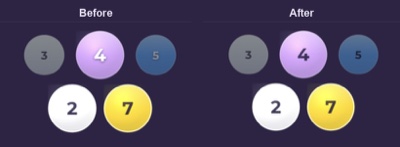
Keep your place at the loom while you warp, thread, and weave. Design a draft on iPhone or iPad, or open a WIF from your drafting software.

WeavingGem keeps your place, from winding the warp to the last pick. You can focus on the weaving and enjoy watching the pattern grow.
Follow your WIF warp colour order end by end. Optional counting-thread and bout reminders help you mark progress while you wind.
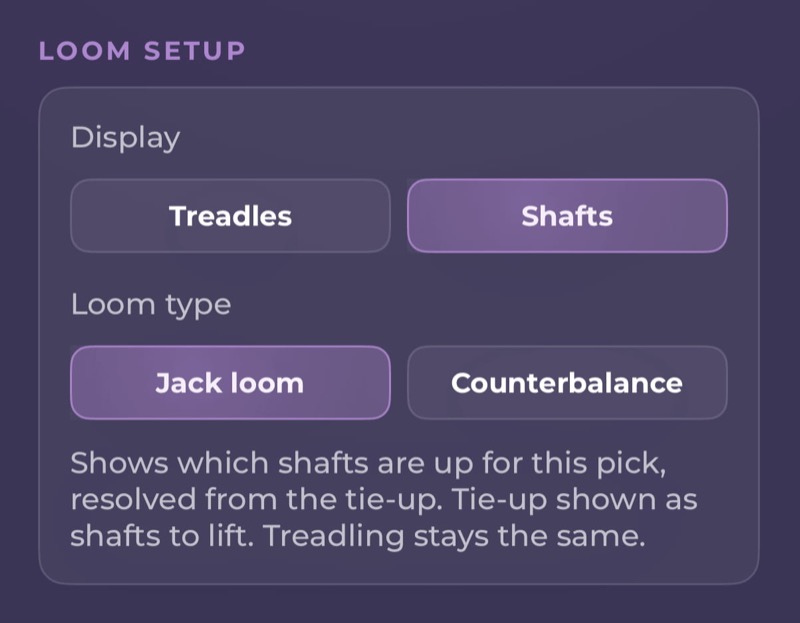
Large yarn-coloured beads show each shaft clearly from the bench, so you can keep your focus on your weaving.
Track the current treadle or shaft lift for each pick. Progress saves on your device, so you can step away and return without guessing what comes next.
Start a new draft with starter structures, tweak a tie-up, or bring in a WIF from Fiberworks or Handweaving.net. Match colours to the cones in your stash before you wind a single thread.
I finally got the chance to start weaving with your app today. First off, I will say that I much prefer weaving with your app compared to what I was doing previously – which was printing out the pattern, taping it to my loom, and using a sticky note that I had to move line by line. Using WeavingGem is much more convenient for me.
Need to work out a quick draft or tweak a pattern away from your computer? Tap Create to pick your sett, dimensions, and loom size, then paint threading, tie-up, and treadling right on the canvas. The drawdown updates with every tap. It is designed for quick sketches, motif repeats, and bench-side adjustments. On iPad, you can paint with Apple Pencil, swap yarn colours to match your stash, and use the Project Calculator to plan warp length before you wind. Everything stays right on your device.
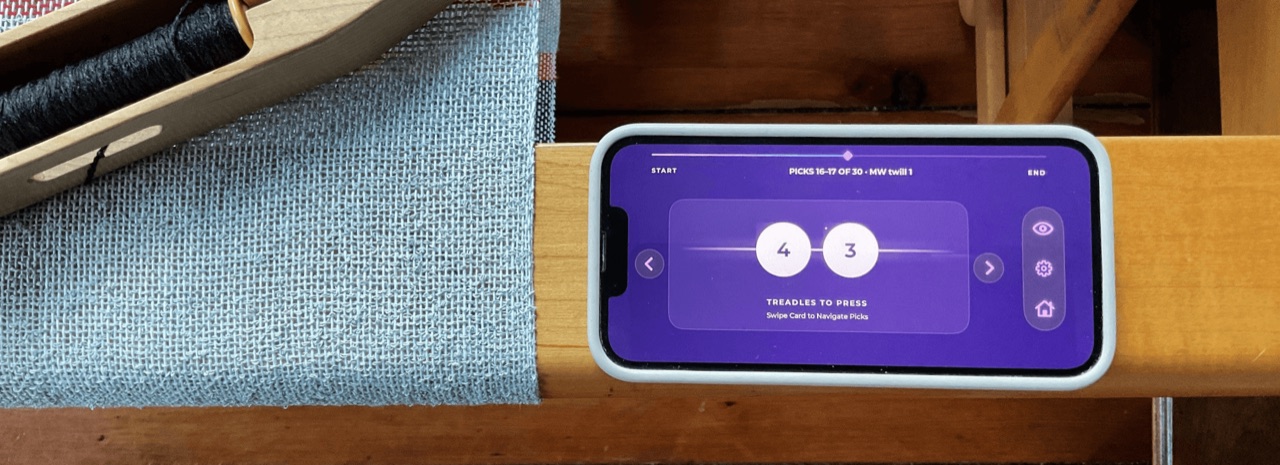
Turn on Voice Control in Session settings to advance or step back without touching the screen. Say next or back while warping, threading, or weaving. Read more about voice control.
A small mic indicator shows when listening is active. Speech recognition runs on your device only; nothing you say is recorded or sent.
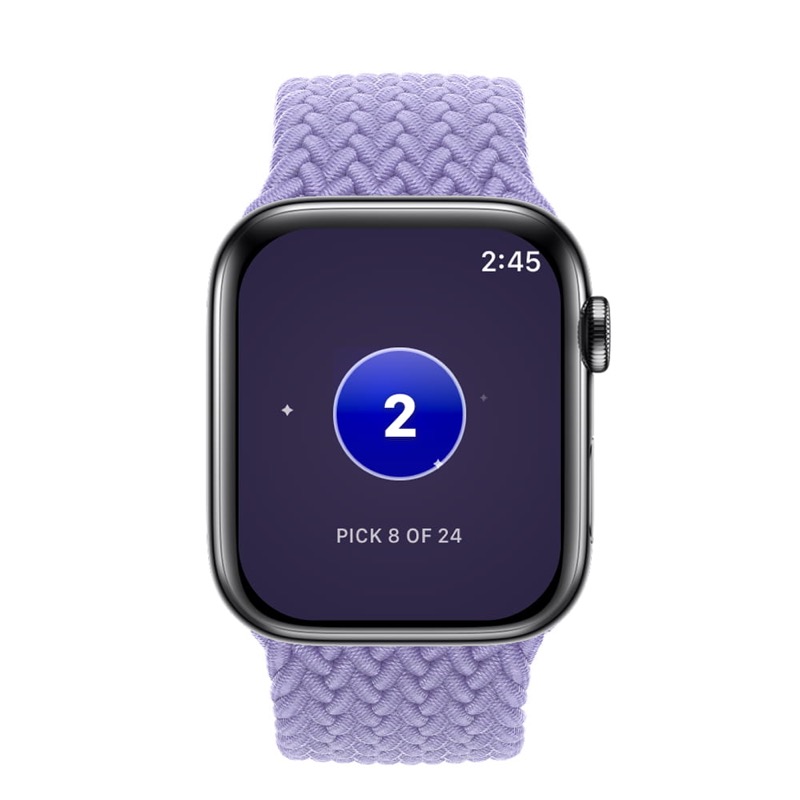
Start a Warp, Thread, or Weave session on iPhone and your watch follows along. Tap to advance, swipe to reverse, one gemstone bead at a time, without reaching for your phone.
On supported Apple Watch models, enable Double Tap to advance with one hand while the other stays on the heddles or shuttle.
Just tried out weaving with the newest version of the app and both features work perfectly! I also really appreciate that there's haptic feedback on the watch to confirm that my finger tap has been recognized. Thanks so much for implementing my suggestions!
Quick answers before you try WeavingGem at your loom.
WeavingGem is an iPhone and iPad app for shaft-loom weavers. You can sketch and edit drafts on a simple touch canvas, import WIF files from your favourite drafting software, and keep your place at the loom through winding, threading, and weaving. Your drafts and tracking stay on your device, with no account or Wi-Fi needed. It also pairs with Apple Watch so you can advance picks right from your wrist.
Yes. Turn on Voice Control in Session settings during a Warp, Thread, or Weave session, then say next or back to advance or step back without touching the screen. Speech recognition runs on your device only. Nothing you say is recorded or sent. See how to use Voice Control for setup steps, or read the voice control update.
Yes. Tap Create to build a fresh draft from a starter structure like twill, plain weave, or a blank grid, or tap Edit pattern on any draft in your library. You can paint threading and weft picks right on screen and watch the cloth preview update as you go. It is made for quick designing, repeating motifs, and tweaking drafts on the go. Read the 1.5.0 update.
WeavingGem imports standard .wif files from Files, AirDrop, or email. Warp colour order, threading, treadling, tie-up, and colours come through. Drafts from four through sixteen shafts are supported.
Yes. Warp Mode guides you through the warp colour order from your draft, with optional counting-thread and bout reminders. Then you can move into Thread and Weave mode for the rest of the same draft.
Yes. Your drafts and progress stay on your device. Nothing is uploaded to the cloud, and no account is required to weave at the loom.
Yes. When a Warp, Thread, or Weave session is open on iPhone, the Apple Watch companion can show your place and let you advance from your wrist. Apple Watch pairs with iPhone only, not iPad. See how to use the Apple Watch companion for setup steps.
Download WeavingGem free from the App Store on iPhone or iPad.
Looking for how-to guides for threading, weaving, Voice Control, or WeavingGem Pro?
Browse how-to guidesStill stuck? Email weavinggem@gmail.com.