

What Is a WIF File?
A WIF file is a standard file format used to save and exchange digital weaving drafts between compatible weaving software and tools.
Think of a WIF as the digital file that carries the structured information in your weaving draft. Instead of recreating the same draft in every program, you can save it as a WIF and open it in another program that supports the format.
WIF stands for Weaving Information File. A WIF file usually has a .wif extension, so you might see a file named something like leaves.wif in your Downloads folder.
If you're familiar with other file formats, you can think of a WIF a little like a CSV file. The file contains structured information that different compatible programs can read.
Quick answer
A WIF is a digital file format for storing and exchanging weaving-draft information.
In short:
- WIF stands for Weaving Information File.
- A WIF can contain structured draft information such as threading, tie-up, treadling or liftplan, and colours.
- WIF files use the .wif extension and can be opened by compatible weaving software and apps.
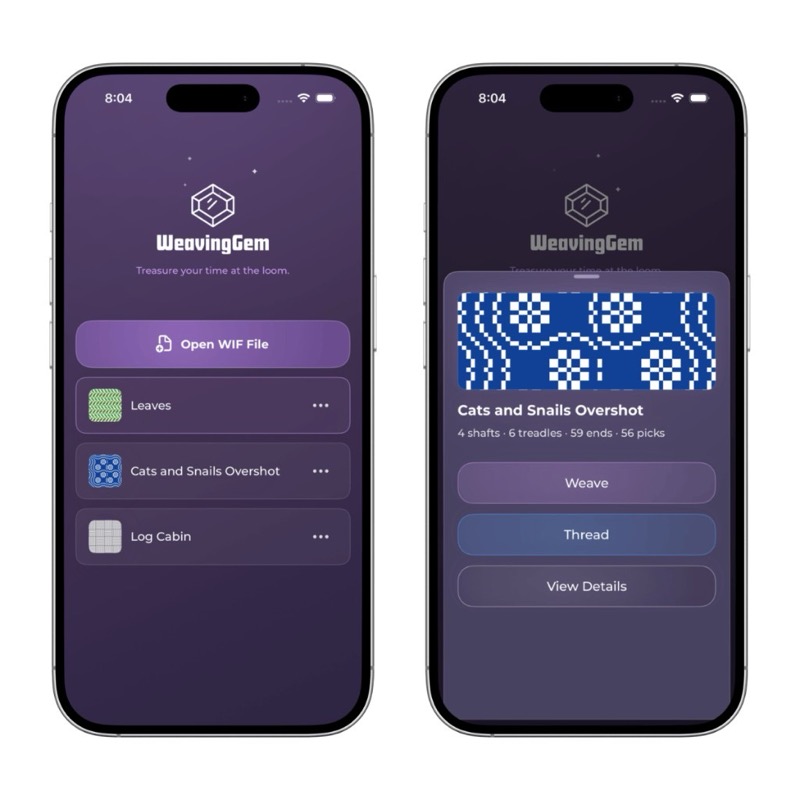
- WeavingGem can read compatible WIF files and use the draft information for at-the-loom tracking.
What's the Difference Between a Weaving Draft and a WIF?
A weaving draft is the design. A WIF is the digital file format used to store and exchange that design information.
The draft describes things like how the warp is threaded, how the shafts are connected to the treadles, and which treadling sequence creates the cloth. The WIF gives compatible software a way to save that information and read it again later.
How WIF Files Work
WIF was created so weaving software could exchange drafts using a common file format. The WIF 1.1 specification dates to 1997 and remains the established format used for digital weaving-draft interchange.
The practical benefit is simple: if two weaving programs support WIF, you can move a draft between them without having to redraw the threading, tie-up and treadling from scratch.
A weaving draft is not the finished cloth
A weaving draft describes how the threads are arranged and interlaced. It gives you the structure for making the cloth, but it does not determine exactly how the finished fabric will look or feel.
Yarn choice, sett, beat, finishing and other weaving decisions all affect the final cloth.
Further reading: Laura Fry on weaving drafts.
What's Inside a WIF File?
A WIF contains the structured information behind a digital weaving draft. Depending on the software that created it and the type of draft, it can contain information such as:
- Threading: which shaft each warp end passes through
- Tie-up: which shafts are connected to each treadle
- Treadling: the sequence of treadles used to weave each pick
- Liftplan: the shafts that are raised for each pick when the draft uses a liftplan rather than a traditional tie-up
- Warp and weft colours
- Other information such as the number of ends or picks, title, notes and other draft metadata
Does a WIF File Contain the Drawdown?
Usually, the WIF contains the draft information needed to calculate the drawdown rather than storing the drawdown as a separate image.
When you open the WIF in compatible weaving software, the program can use the threading, tie-up and treadling or liftplan information to generate the visual drawdown.
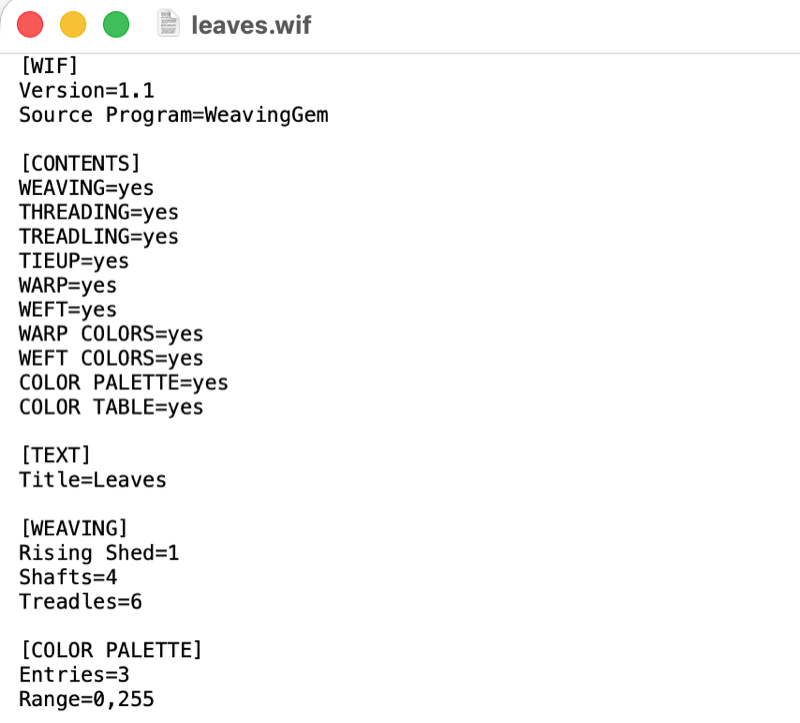
You normally do not need to read or edit this text yourself. Weaving software interprets the information in the file and turns it back into a weaving draft.
What Isn't Necessarily in a WIF File?
A WIF is a digital representation of draft structure, not necessarily a complete project pattern.
Depending on the file, practical project details are often left out and supplied separately in a PDF, book, or handwritten notes:
- Yarn quantities and warp yardage
- Loom waste and take-up calculations
- Finished dimensions and shrinkage estimates
- Sett recommendations
- Full weaving and finishing instructions
Estimate warp right from your draft
When a WIF does not include yarn calculations, open WeavingGem's built-in Project Calculator. Enter your desired finished dimensions, fringe, shrinkage, and loom waste to calculate total warp length and ends before you wind a single thread.
Where Do WIF Files Come From?
WIF files are usually created by weaving software or distributed alongside digital weaving patterns. You may also receive one from a teacher, guild, fellow weaver or another weaver who is sharing a digital draft.
Drafting software
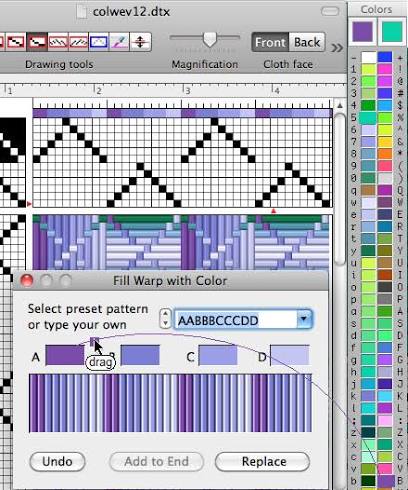
Dedicated drafting programs are designed for creating, editing, and previewing draft structures. Common options include Fiberworks, Bower, Treadl, and PixeLoom.
You work out the threading, tie-up, and treadling on screen, adjust shafts and colours, and preview how the cloth might look. When the design is ready, you export it as a .wif file to take to the loom.
Pattern libraries and online sources
Ready-to-use WIF files can be downloaded directly from online archives such as Handweaving.net, from the Handwoven Magazine library, digital pattern shops, weaving courses, or guild project libraries.
A teacher might share a class draft, a magazine might include a downloadable file, or a fellow guild member might send one by email. The source varies, but the format stays the same.
Can I Create a WIF From a Paper Draft?
Not directly. A paper draft is not automatically a WIF file.
If you have a draft in a book or on paper, you can recreate the draft in compatible weaving software and then export it as a WIF. Once it has been saved as a WIF, the structured draft information can be opened by other compatible programs.
How Do I Open a WIF File?
A WIF file needs to be opened with weaving software or an app that supports the WIF format. A regular web browser, PDF reader or text editor will not turn it into a usable weaving draft.
If someone sends you a .wif file, or you download one from a pattern library, save it to your computer or device and open it with compatible weaving software.
Different programs may support different parts of the WIF format, so the way a draft appears or which features are available can vary between programs.
What Can I Do With a WIF File?
A WIF gives you a digital draft you can view, edit, adapt, and take straight to the loom.
Instead of drawing grids on graph paper by hand, a digital WIF draft lets you:
- Edit threading, tie-up, and treadling: Tweak shaft lifts, repeat a motif, or change sequences directly on screen.
- Preview the drawdown instantly: See how structure and yarn colours interact before threading heddles.
- Match yarn in your stash: Swap placeholder draft colours with actual cones from your shelves.
- Share and exchange: Move drafts easily between desktop programs and your mobile devices.
- Track at the loom: Follow warp colour order, threading groups, and weft picks hands-free.
With WeavingGem, you don't just view the file; you can edit drafts on a touch canvas with your finger or Apple Pencil, and use that same draft to track every pick at the loom.
WIF vs PDF: What's the Difference?
A PDF and a WIF can both be supplied with a digital weaving pattern, but they serve different purposes.
A PDF is designed primarily for people to read and print. It can contain complete project instructions, illustrations, yarn information, sett, dimensions and finishing instructions.
A WIF is designed for compatible weaving software to read. It contains structured draft information that software can display, modify or use for other digital weaving functions.
That is why a pattern designer may give you both: the PDF for the complete pattern instructions and the WIF for working with the draft digitally.
Using WIF Files in WeavingGem
Think of the workflow this way:
Whether you download a WIF from Handweaving.net, export one from Fiberworks, or build a draft from scratch in WeavingGem, the app turns that digital pattern into clear steps at the loom.
You can paint quick changes on the canvas with your finger or Apple Pencil, match yarn colours to your actual cones, and then carry that draft right into winding, threading, and weaving. Everything stays saved on your device.
Import a draft once, then follow the warp colour order, threading groups, and each pick without losing your place. Open a WIF on your iPhone or iPad from the Files app, iCloud Drive, AirDrop, or email. WeavingGem uses the data inside the file to guide warping in colour order, track threading groups shaft by shaft, and follow each weft pick through the treadling sequence.
Ready to Put Your WIF to Work?
Import your WIF into WeavingGem and use your digital draft to track your work at the loom.
Track Your WIF in WeavingGemWIF file FAQ
What does WIF stand for?
WIF stands for Weaving Information File.
What is the difference between a weaving draft and a WIF?
A weaving draft is the design. A WIF is a digital file format used to store and exchange information from that draft.
What is a WIF file used for?
A WIF file lets you save, share, and open a digital weaving draft in compatible weaving software without redrawing the structure from scratch.
What is inside a WIF file?
Depending on how it was created, a WIF can contain threading, tie-up, treadling or liftplan, colours, and other draft metadata such as title and notes.
Does a WIF contain the drawdown?
Usually, the WIF contains the draft information used to generate the drawdown rather than storing the drawdown as a separate image.
Does a WIF include yarn amounts?
Not usually. A WIF is primarily concerned with the structure of the weaving draft and may include colours and some basic yarn information, but project-specific details such as exact yardage, sett, finished dimensions and finishing instructions are often provided separately.
Can I create a WIF from a paper draft?
Not directly. You can recreate a paper draft in compatible weaving software and then export it as a WIF.
How do I open a WIF file?
Open it with weaving software or an app that supports the WIF format. Save the file to your device, then open it in a compatible program.
Can I open a WIF file on my iPhone or iPad?
Yes, if you have an app that supports WIF files. On iPhone and iPad, compatible WIF files can be opened from locations such as Files, iCloud Drive, AirDrop or email in WeavingGem.
Can I edit a WIF in WeavingGem?
Yes. Open any imported WIF in your library and tap Edit pattern. You can paint threading, tie-up, or weft picks directly on screen, with the cloth preview updating in real time. When you save, your changes stay with the draft on your device for your loom session. Read the 1.5.0 update.
Can I download a WIF from Treadl?
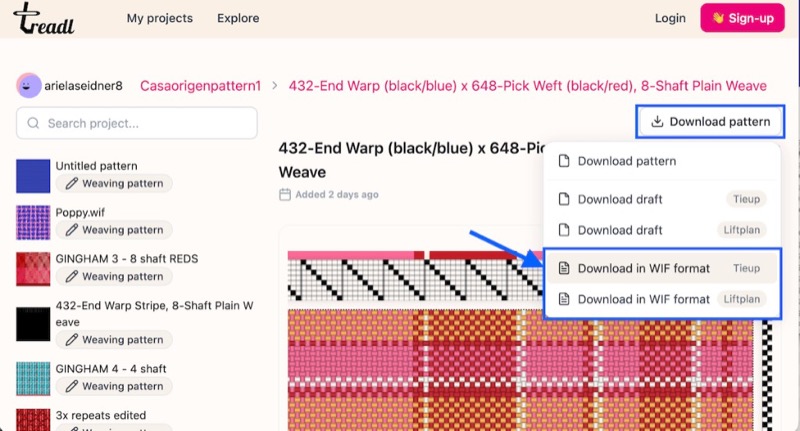
Yes. Treadl can export a project as a WIF in Tieup or Liftplan format. You can then import the resulting .wif file into compatible software or WeavingGem.
Where can I find WIF files?
From drafting software exports, online archives such as Handweaving.net, the Handwoven Magazine library, digital pattern shops, weaving courses, and guild projects.