

How do I keep count while winding a warp?
Winding a warp with lots of ends and frequent colour changes can make it easy to lose count. WeavingGem's Warp Mode keeps your place for you. It shows which yarn to wind next and which end you are on, so you can look up from the board and pick up where you left off.
Watch a warp from start to finish
In this short video, I wind a warp from start to finish. This one happens to be too wide for one pass on my warping board, so I split it into two bouts. I cover:
- How to set up a guide string and work out how long it should be
- How to set a counting thread interval so you know when to place one
- How to divide a wide warp across two separate bouts
How do I follow my warp colour order?
Open a pattern and choose Warp. Each coloured bead shows the yarn to wind next and the end number you are on. When you finish a group of ends, tap the screen to move on.
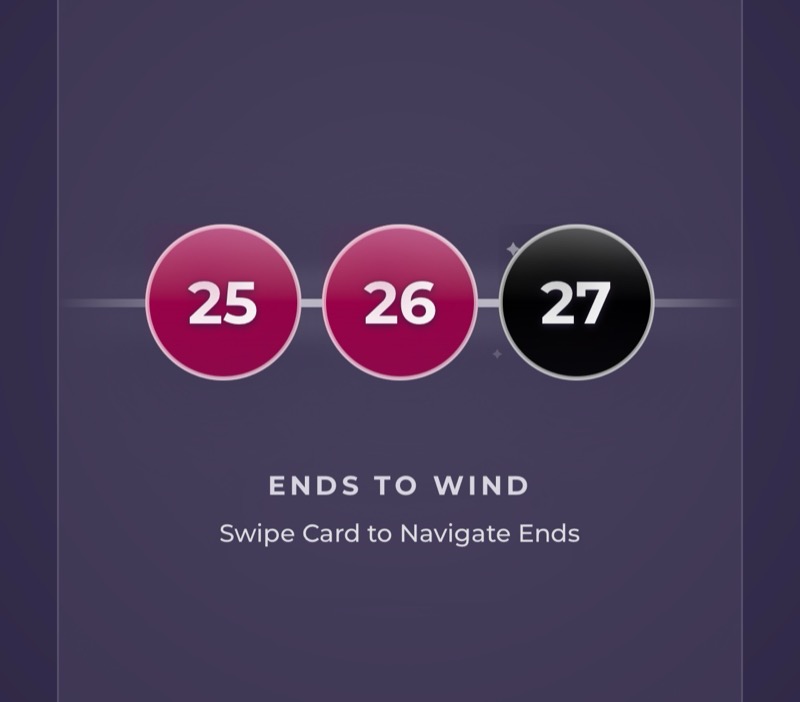
You choose how many ends are in each group with ends per tap in Settings, under Warp Focus. Besides tapping, you can swipe forward or say "next" if Voice Control is on. If you wind one too many, swipe back or say "back".
Your warping progress is saved on its own, separate from threading and weaving. You can put the app down for a few days and come back to the same end.
How long should my guide string be?
Your guide string should match the total length of your warp. Wind it along your warping board first, then follow its path for every end so each one comes out the same length.
The Project Calculator in WeavingGem can help you work out that length. It adds the woven length, loom waste, and take-up for your project into one warp length.
How do I know when to place a counting thread?
Turn on Counting Thread under Warp Focus and choose how often you want one, such as every 20 or 40 ends. WeavingGem shows a "Place counting thread" reminder each time you reach that number.
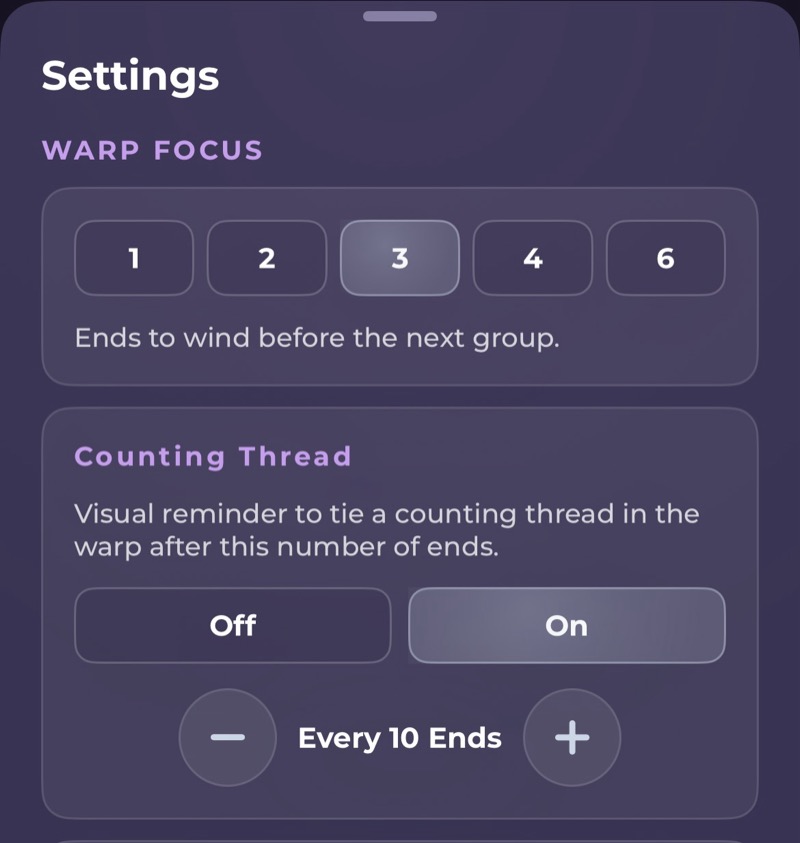
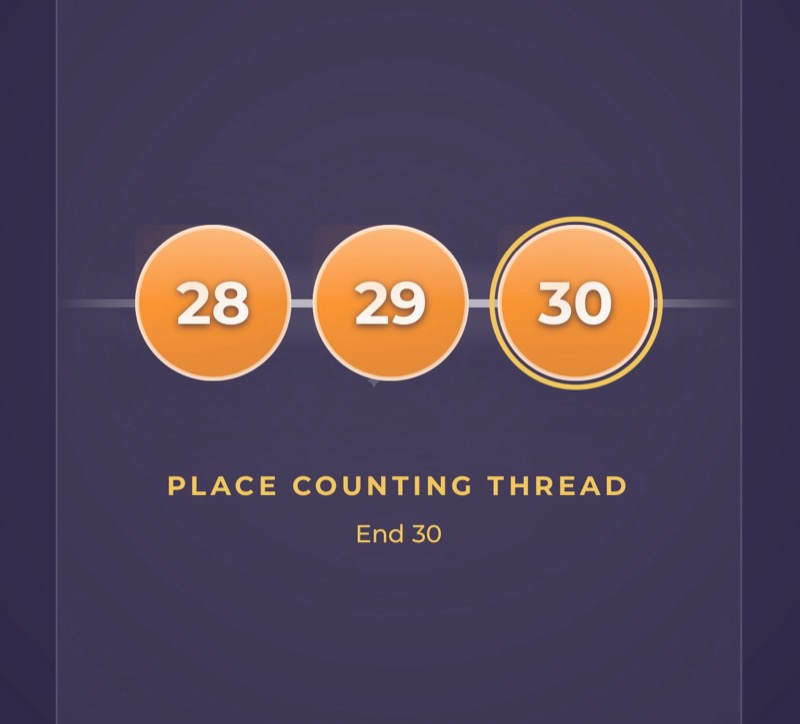
The reminders only mark where you are. How you tie the counting thread or wrap your bouts is up to you. The warp reminders guide goes into more detail.
What if my warp is too wide to wind in one pass?
You can split it into two or more bouts. Turn on Bout Size under Warp Focus and set the number of ends in each bout. WeavingGem shows an "End of bout" reminder when you reach it.
When you see the reminder, you can chain off that bout and start the next one. Your end count carries on from where you stopped, so the colour order stays in step across every bout.
Tip
On iPhone, an open Warp session can sync to the Apple Watch, so you can move to the next group from your wrist. When the warp is on the loom, open the same pattern and choose Thread.
Related guides
- How do counting thread and bout reminders work?
- How do I keep my place while threading heddles?
- How do I keep track of my treadling while I weave?
- How do I use Voice Control with next and back?
Still stuck?
Email weavinggem@gmail.com. We are happy to help you get back to your loom.